
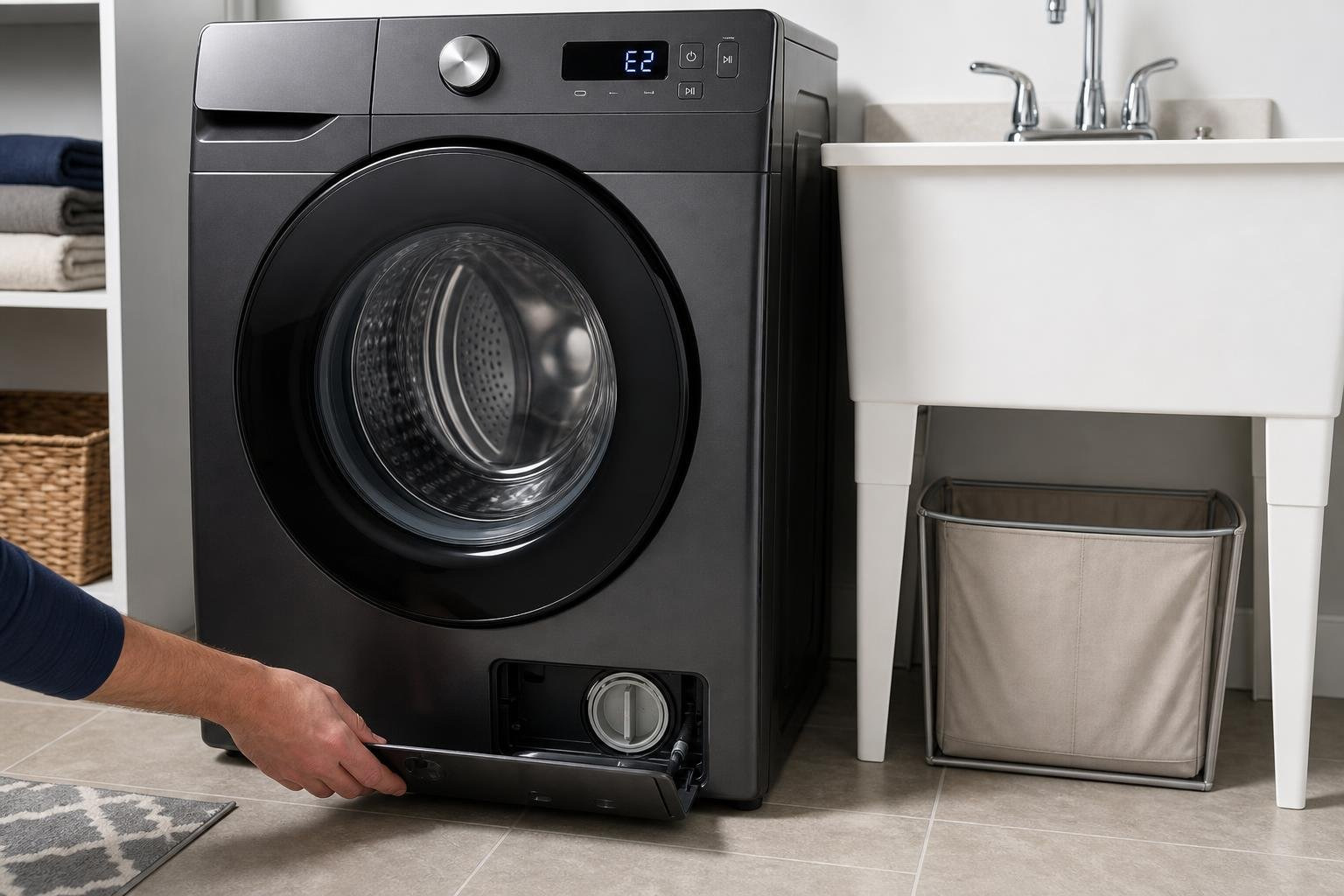
When Your Samsung Washing Machine Stops Working: What to Do First
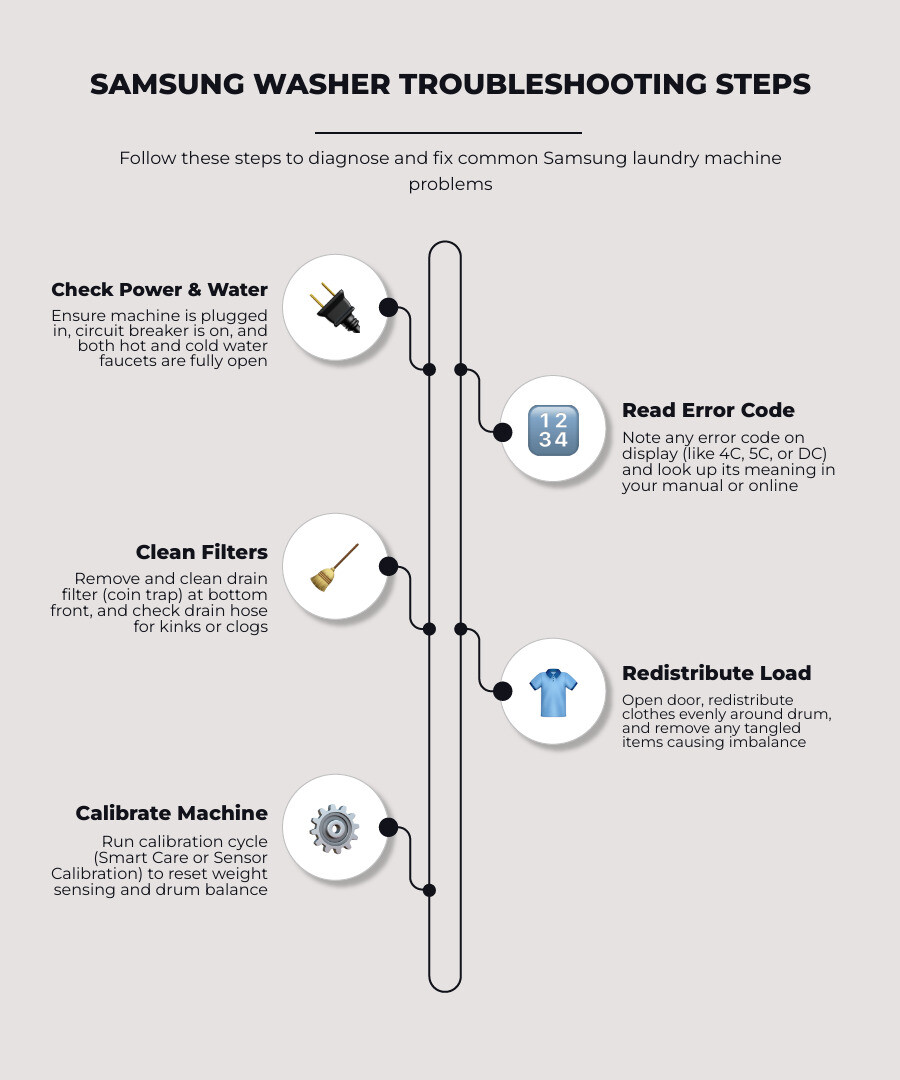
If you need samsung laundry machine repair, here are the most common fixes to try right now:
- Not draining — Clean the drain filter (bottom-front of machine) and check for kinks in the drain hose.
- Error code 4C/4E — Check that both water supply faucets are fully open and hoses aren’t kinked.
- Error code SC/5C — Indicates a drain issue; clean the coin trap filter and inspect the drain hose.
- Error code DC — Unbalanced load; stop the cycle, redistribute clothes evenly, and restart.
- Not spinning — Check for an overloaded drum or an unbalanced load first before calling a technician.
- Shaking or vibrating — Confirm the machine is level and all four feet are firmly on the floor.
- Leaking water — Inspect the door seal, detergent drawer, and drain filter cap for cracks or buildup.
Most Samsung washer problems fall into a handful of categories: water fill issues, draining failures, spin cycle errors, and error codes. Many of these you can fix yourself in under 30 minutes. Others — especially anything involving internal electrical components — are better left to a certified technician.
Samsung washing machines are sophisticated appliances. They come packed with features like AddWash, EcoBubble, and SmartThings connectivity. But that complexity also means more things that can go wrong — and more ways to accidentally make things worse if you don’t know what you’re looking at.
This guide walks you through everything: safety steps, error codes, DIY maintenance, warranty coverage, and how to know when it’s time to call a pro.
I’m Vasyl Turetsky, Founder and Appliance Repair Specialist at iFix Appliances, and I’ve spent years diagnosing and performing samsung laundry machine repair for homeowners across Raleigh, Cary, Durham, and the surrounding Triangle area. In the sections below, I share the same diagnostic approach I use in the field — so you can troubleshoot confidently and make the right call for your machine.
Safety First: Essential Precautions and Tools for Samsung Laundry Machine Repair
Before you grab a single tool or attempt to slide your washing machine away from the wall, we need to talk about safety. Modern Samsung washers and laundry combos are incredibly advanced smart appliances, but that high-tech convenience comes with hidden risks.
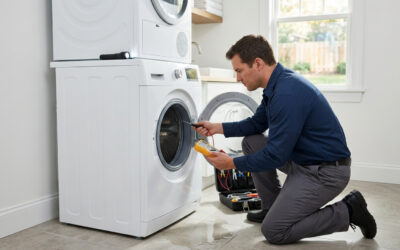
Attempting a DIY repair on a modern Samsung laundry machine can expose you to ungrounded electrical components, high-voltage shock hazards, and potential water damage. The main control board, water inlet valves, and drive motors on many Samsung models are intentionally not grounded during active testing. This means they present a severe risk of electric shock if the unit is plugged into an active power source while you are working on it.
Always follow these critical safety precautions before starting:
- Disconnect the Power: Unplug the washing machine from the wall outlet or completely shut off the dedicated circuit breaker in your home’s breaker panel. Never rely solely on the machine’s power button to cut electricity.
- Shut Off the Water Supply: Close both the hot and cold water supply valves behind the machine to prevent accidental flooding.
- Beware of Explosive Hydrogen Gas: If your household hot water system has not been used for two weeks or more, highly explosive hydrogen gas can accumulate in the water lines. Before running your washer, open all hot water faucets in the house and let them run for several minutes to safely purge any trapped gas.
- Avoid Water Spray: Never spray water directly onto the exterior or control panel of your washer while cleaning or diagnosing it.
- Handle Frozen Hoses Safely: If you live in an area prone to freezing temperatures and suspect a frozen drain line, do not use blowtorches or direct heat. Instead, wrap the frozen section of the hose with a towel soaked in warm water for approximately 10 minutes to safely thaw the ice block.
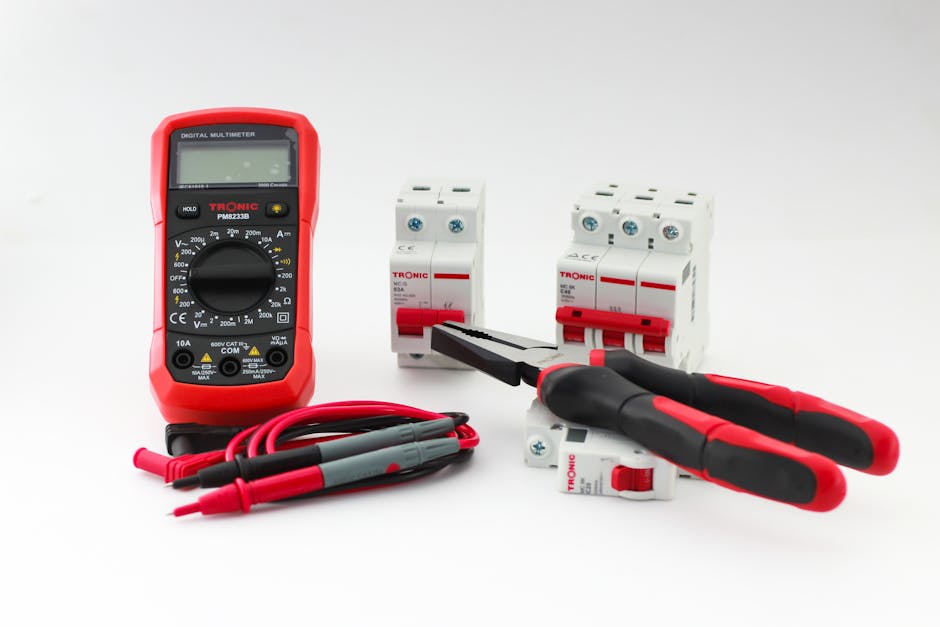
Essential Tools and Parts for Samsung Laundry Machine Repair
Having the right tools on hand makes the diagnostic process much smoother and prevents damage to delicate plastic tabs or specialized fasteners. If you are diving into basic troubleshooting or minor component replacement, we recommend assembling this basic kit:
- Digital Multimeter: Crucial for testing electrical continuity across switches, valves, and heating elements.
- Nut Drivers and Screwdrivers: A standard Phillips head and a set of metric nut drivers (especially 10mm and 12mm) will help you remove rear panels and top covers.
- Channel Lock Pliers: Essential for loosening stubborn water supply lines and adjusting leveling legs.
- Genuine OEM Parts: When replacing any component, avoid the temptation to use generic or 3D-printed parts. Samsung machines rely on precise sensor calibrations, and using non-original parts can lead to system errors and will void your manufacturer warranty. You can purchase official parts directly from authorized Samsung Parts distributors.
If you find yourself needing specialized guidance on tools or want to understand general repair methodologies, check out our comprehensive overview of Category Appliance Repair to learn how we handle complex system diagnostics.
Troubleshooting Common Samsung Washer Problems and Error Codes
When your washing machine acts up, it can throw off your entire weekly routine. Understanding whether you are dealing with a minor user-error issue or a mechanical failure is the first step to getting your laundry back on track.
Some of the most common mechanical failures we see in the field include:
- The Washer Won’t Spin: Often caused by an unbalanced load, a worn drive belt, or a failing lid switch.
- Water Fails to Drain: Typically traced back to a clogged coin trap filter, a kinked drain hose, or a failing drain pump motor.
- Excessive Shaking and Vibrating: Usually caused by an unlevel machine, worn suspension rods, or washing heavy, waterproof items on the wrong cycle.
- Water Leaking onto the Floor: Often stems from a torn door boot seal (on front-loaders), a loose drain filter cap, or a cracked water inlet valve.
Deciphering Error Codes: 4C/4E, 5C/SC, and DC
Your Samsung washing machine is equipped with an onboard diagnostic system that communicates system failures using specific alphanumeric codes. Understanding these codes can save you hours of guesswork.
The 4C or 4E Error Code (Water Fill Issues)
This code indicates that the machine is not detecting water filling the drum within a set period. It is often caused by closed supply faucets, kinked hoses, or clogged mesh screens inside the water inlet valves.
That Samsung washers are highly sensitive to water temperature. If the incoming cold water drops below 60°F, the machine may attempt to mix in hot water. If your hot water supply is turned off or depleted, it can trigger a fill error. Additionally, we strongly advise against using “Flood Safe” auto-shutoff hoses, as they can restrict water flow and trigger false 4C codes. For detailed troubleshooting on this, consult the official guide on Water fill issues with Samsung washing machines .
The 5C or SC Error Code (Drainage Issues)
This code means water is not draining from the tub fast enough. The primary culprit is almost always a clogged drain pump filter (also known as the coin trap). If you wash rugs with rubber backing, be warned: the rubber backing can disintegrate in the wash, stick to the drum, and completely clog your drain pump.
The DC Error Code (Unbalanced Load)
The DC code points to an unbalanced load that prevents the machine from spinning out safely. High-efficiency (HE) washers utilize weight-sensing technology to protect the machine’s suspension. When you start a cycle, the drum will rotate back and forth for 2 to 5 minutes to weigh the load before any water fills. If the load is too small, too large, or clumped to one side, the machine will halt and display “DC.”
If your washer is displaying these or other symptoms, explore our guide on 5 Signs Your Washer Needs Repair and How to Fix It Fast in Raleigh for quick, local troubleshooting tips.
| Error Code | Primary Meaning | Common Cause | Quick DIY Fix |
|---|---|---|---|
| 4C / 4E | Water Fill Error | Kinked supply hose, closed faucet, or clogged inlet screen. | Straighten hoses, open faucets fully, and clean valve filter screens. |
| 5C / SC | Drain Failure | Clogged coin trap, blocked drain pump, or kinked drain hose. | Clean the bottom-front drain filter; check drain hose insertion depth. |
| DC | Unbalanced Load | Unevenly distributed clothes or washing heavy waterproof items. | Pause cycle, redistribute clothes evenly, and ensure the machine is level. |
| dE / dE1 | Door Lock Error | Door not closed properly or faulty latch assembly. | Ensure no clothes are caught in the door; push door firmly to close. |
How to Access Diagnostic Test Mode on Your Samsung Washer
If your washer is acting up but not showing an active error code, you can manually force the machine into its diagnostic test mode to run individual component checks.
To access the diagnostic mode on most modern Samsung front-load and top-load washers:
- Ensure the drum is completely empty and the machine is powered off.
- Press and hold the Spin and Soil Level buttons (or Delay End and Temp, depending on your model) simultaneously.
- While holding those buttons, press the Power button. The machine will chime, and the display will show all lights illuminating or display “t1” or “t2.”
- You can now turn the cycle selector dial to cycle through individual tests, such as testing the drain pump, spinning the drum to maximum RPM, or testing the hot and cold water valves.
- To exit diagnostic mode, simply press the Power button to turn the machine off.
Step-by-Step Maintenance: Cleaning Filters and Calibrating Your Machine
Regular preventative maintenance is the secret to avoiding unexpected breakdowns and keeping your clothes smelling fresh. Over time, fabric softener, detergent residue, and hard water minerals build up inside the drum, creating a breeding ground for mold and mildew.
Always leave both the main washer door and the detergent drawer slightly ajar between cycles to allow internal moisture to evaporate.
Cleaning the Drain Filter, Lint Filter, and Detergent Drawer
If your washer is struggling to drain or smells musty, a dirty filter is the most likely culprit.
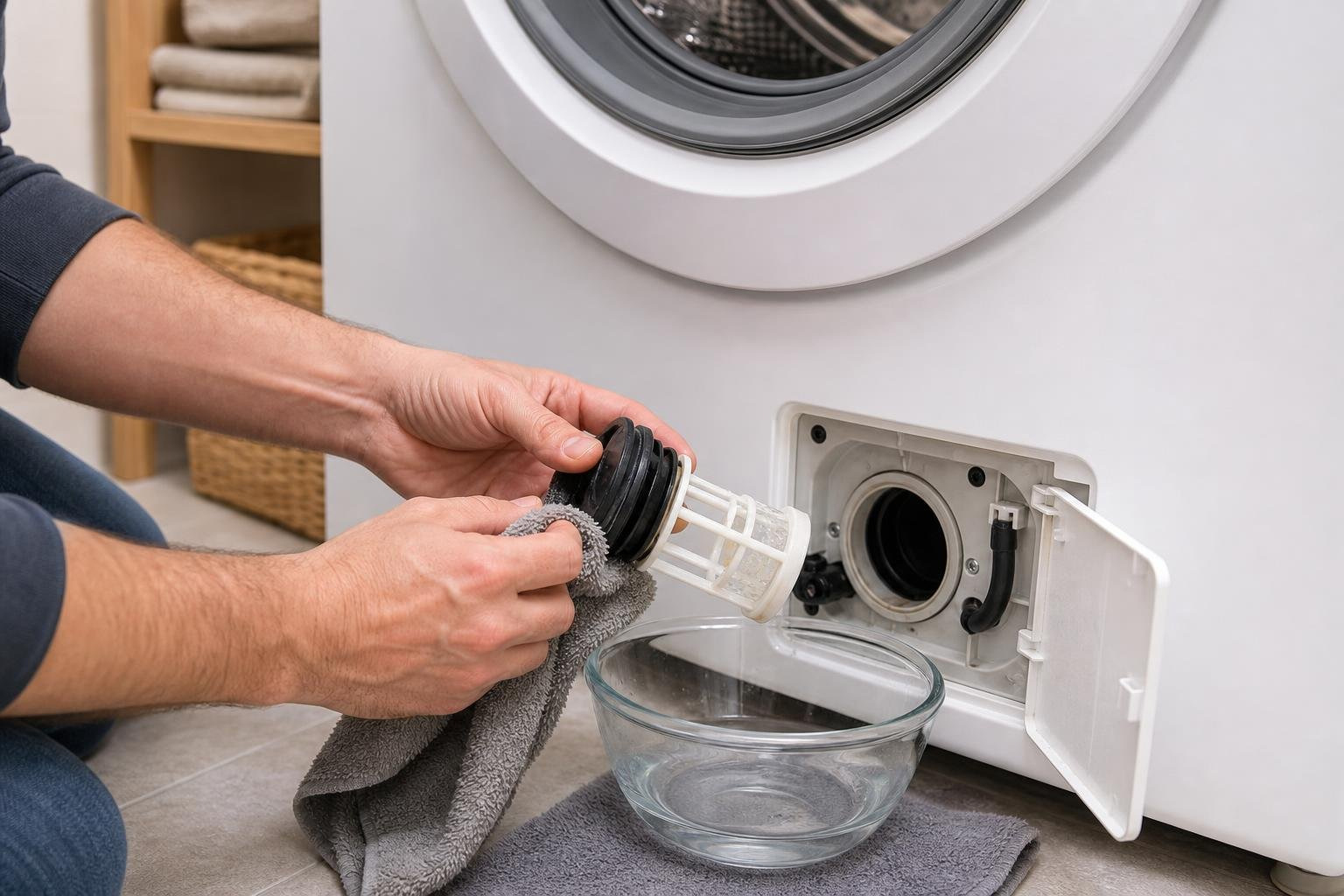
Step-by-Step Drain Filter (Coin Trap) Cleaning:
- Locate the access panel on the bottom-front of your front-load washer. Open the panel cover.
- Place a shallow bowl and a towel on the floor directly beneath the emergency drain tube.
- Pull out the small rubber emergency drain tube, remove its cap, and let the trapped water empty into the bowl.
- Once the water stops flowing, replace the tube cap and push the tube back into place.
- Slowly turn the main drain filter knob counterclockwise to unscrew it. Be prepared for a small amount of residual water to escape.
- Pull the filter out and clear away any coins, lint, hair, or debris. Rinse the filter thoroughly under warm running water.
- Inspect the filter housing inside the machine for any trapped debris, then reinstall the filter by turning it clockwise until it is snug. Close the access panel.
Cleaning the Detergent Drawer:
- Pull the detergent drawer out until it stops.
- Press down on the release lever (usually marked “PUSH” inside the softener compartment) and slide the drawer completely out.
- Disassemble the liquid detergent and fabric softener cups. Rinse all components under warm water, using an old toothbrush to scrub away crusty buildup.
- Wipe out the drawer cavity in the washing machine with a damp microfiber cloth.
- Reassemble the drawer and slide it back into place.
For those operating a modern all-in-one laundry unit, refer to the official Laundry Combo User manual for specialized maintenance steps, including cleaning the integrated lint screen after every single drying cycle.
How to Calibrate Your Samsung Washer for Optimal Performance
Calibration is a critical step that many homeowners overlook. Running a calibration cycle resets the internal weight-sensing sensors, ensuring your washer uses the precise amount of water needed for each load and spins smoothly without throwing out “DC” errors. You should calibrate your washer during initial installation, after moving the machine, or anytime you notice uneven water levels.
To Run a Calibration Cycle:
- Ensure the washing machine drum is completely empty and there is no water left inside.
- Power off the machine.
- Press and hold the Temp. and Delay End buttons simultaneously for 3 seconds until “Cb” (or “CLB”) appears on the display.
- Press the Start/Pause button to begin the cycle.
- The drum will rotate clockwise and counterclockwise for 1 to 3 minutes as the sensors calibrate.
- Once complete, the display will show “En”, “End”, or “0”, and the machine will automatically power down.
Navigating Warranties and Professional Service Options
When a simple filter cleaning or calibration doesn’t solve the issue, it is time to look at your service and warranty options. Samsung has a highly praised customer service network, ranking #1 for Service Experience for TVs and appliances in the 2025 ACSI survey.
With over 8,000 Samsung Certified repair technicians and 2,400 service center locations nationwide, they cover 99% of the United States with convenient care options.
Understanding Your Samsung Warranty Coverage
Standard Samsung washing machines typically come with a 1-year parts and labor warranty, with extended coverage on specific components like the Direct Drive motor (often covered for up to 10 or 20 years, depending on the model year).
If you purchased Samsung Care Plus, you may also be eligible for added protections like power surge coverage, food loss reimbursement (for refrigerators), or clothing reimbursement (for laundry issues).
To check your warranty status:
- Locate your washer’s model code and 11-digit serial number. On front-loaders, this is found around the door opening. On top-loaders, look under the lid.
- Log into your Samsung Account online.
- Register your appliance under “My Products” using the serial number.
- If the listed warranty date is incorrect, you can upload your original sales receipt or bill of sale to update your coverage status.
If your machine is out of warranty and you need to find a trustworthy local repair option, read our guide on Washer Repair How to Find Local Service in 3 Easy Steps to navigate your choices.
When to Seek Professional Samsung Laundry Machine Repair
While clearing a clogged coin trap or leveling a vibrating washer are great DIY projects, complex mechanical repairs require a professional touch.
Attempting to replace a main control board, drum bearings, or water valves yourself can lead to severe safety hazards and costly mistakes. Samsung explicitly states that any damage caused by self-repair, non-professional repair, or repairs by non-authorized service providers will void the manufacturer warranty.
Before you take your washer apart, check out our guide on 5 Warning Signs Your DIY Appliance Repair Is Headed for Disaster to ensure you aren’t walking into a costly trap.
Frequently Asked Questions about Samsung Washer Repair
Why is my Samsung washer not draining?
A failure to drain is usually caused by a clogged drain pump filter (coin trap), a kinked or crushed drain hose, or a failing drain pump motor. First, check that your drain hose is not inserted more than 8 inches into your standpipe, as this can cause a siphoning effect. If the drain path is clear and the filter is clean, the drain pump motor may have failed.
For a complete step-by-step diagnostic guide, read our Washing Machine Repair in Raleigh NC Complete Guide by iFix Appliances.
Will doing my own repairs void my Samsung warranty?
Yes. If your washing machine is still under its original manufacturer warranty, attempting a DIY repair or using non-certified, third-party parts will void your coverage. Samsung’s warranty policy states that damages resulting from unauthorized repairs or self-repair are excluded from coverage. Always contact a certified professional while your unit is under warranty.
Why does my Samsung washer take so long to start filling?
This delay is completely normal. Modern high-efficiency Samsung washers use an automatic weight-sensing system to calculate the exact amount of water needed for your load. When you press Start, the machine will spin the dry drum back and forth for 2 to 5 minutes to weigh the clothes before opening the water valves.
Conclusion
A malfunctioning washing machine doesn’t have to throw your household into a panic. By understanding your washer’s error codes, performing basic filter maintenance, and running regular calibration cycles, you can resolve many minor issues on your own.
However, when you are dealing with complex electrical diagnostics, persistent leaks, or mechanical component replacements, calling in local, certified professionals is the safest and most cost-effective solution.
At iFix Appliances, we provide fast, reliable, and honest appliance repair services throughout Raleigh, Cary, Apex, Garner, Durham, Chapel Hill, Morrisville, Wake Forest, and the surrounding Triangle area. Our factory-trained technicians utilize genuine OEM parts to ensure your smart appliances run efficiently for years to come.
If your Samsung washer or dryer is giving you trouble, don’t wait for a minor leak to turn into major water damage. Schedule your expert diagnostic visit today by visiting our Samsung Repair Service page, and let us get your laundry room running smoothly again!

0 Comments